Voice
Call out your score: the app understands it and enters it. In all six of the app’s languages, recognised on the device.
“Treble twenty”T20
“Twenty-five”25
iPhone and iPad app · November 2026
Set your iPhone up facing the board: it scores every dart, understands your score when you call it out and shows the game live on the TV.
Available on iPhone and iPad in November 2026
Watch the live demo

Camera scoring
On a tripod facing the board, your iPhone or iPad finds the board and scores every dart. No extra hardware.
Facing the board: the app finds it on its own.
Play as usual, without touching the screen.
Every dart is scored. Pull your darts out and it’s the next player’s turn.
Dart misread? Tap the keypad, or tap the tip of the dart on the photo.
It remembers your corrections to read your board better.
Camera images are analysed on your iPhone or iPad.
Input
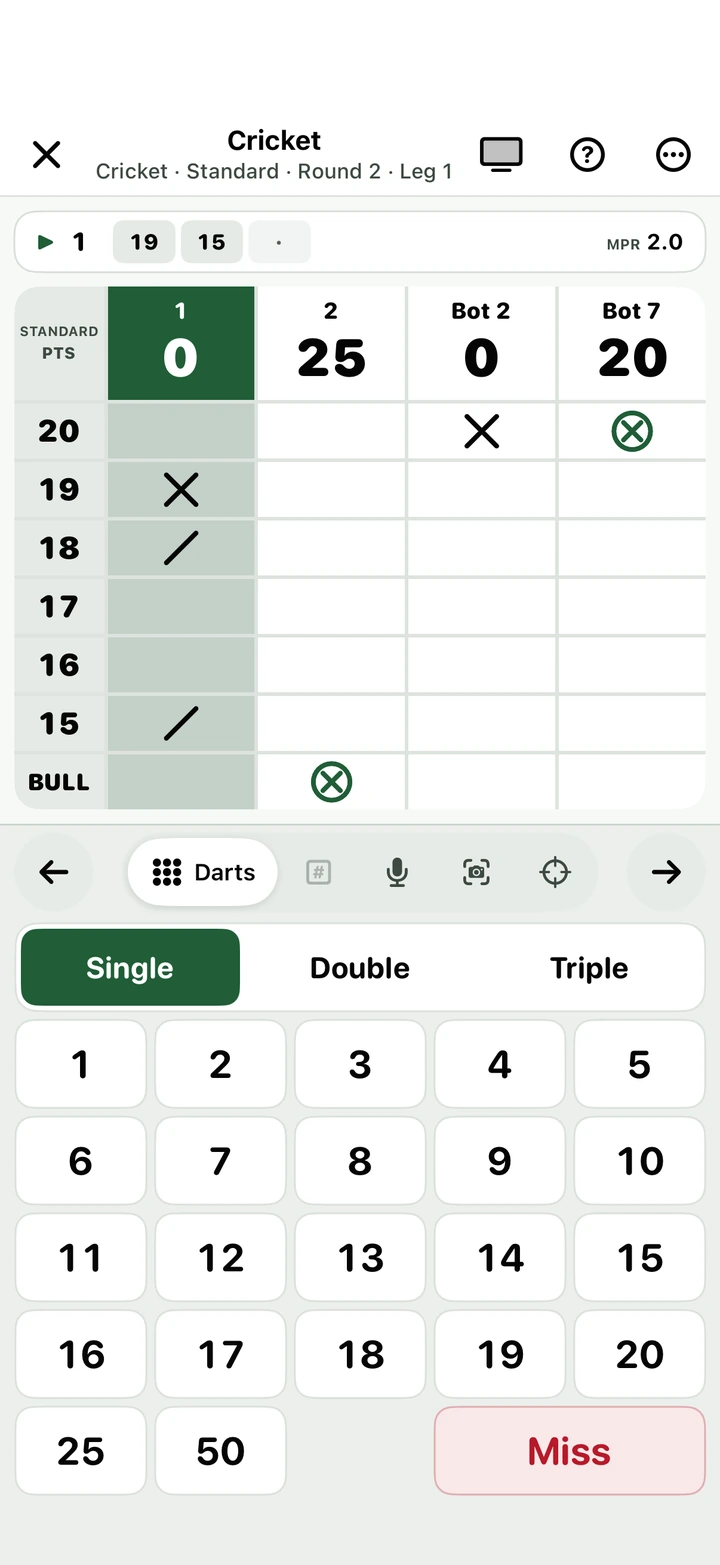
The camera, your voice or your finger: everyone plays their own way.
Call out your score: the app understands it and enters it. In all six of the app’s languages, recognised on the device.
Nothing to enter: the app sees your darts.
Tap the spot on the screen where your dart landed.
Dart by dart: single, double or treble.
The quickest way: just type the total of your three darts.
Live
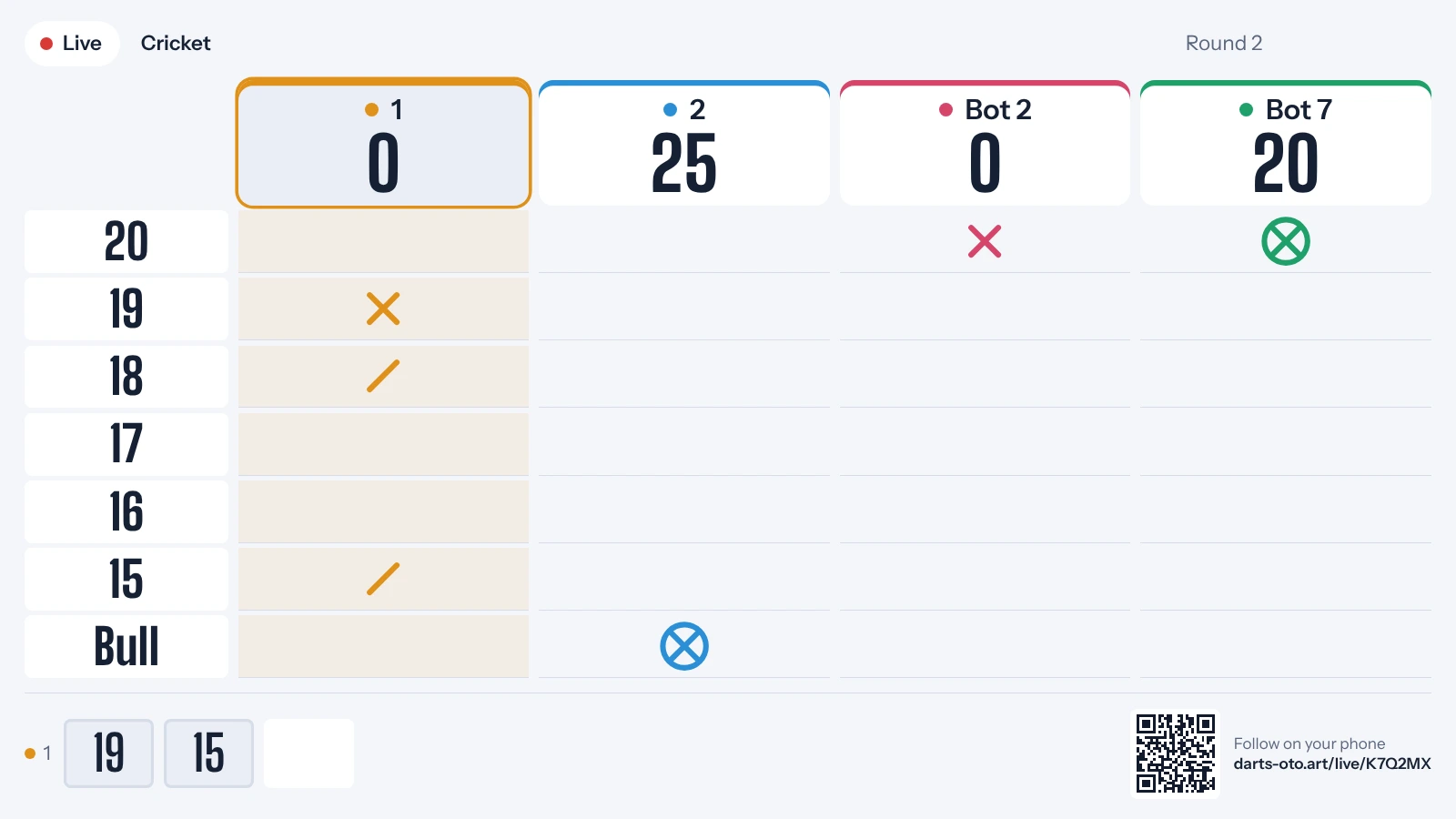
A code and a QR code are all it takes: the scoreboard appears live on a TV, tablet or computer, through darts-oto.art. Every mode has its own scoreboard.
X01 or any other mode, two players or more.
The app shows a QR code and a six-character code.
Scan the QR code, or go to darts-oto.art on the TV and enter the code.
Action Replay
The camera films your best throws. At the end of the game, the app puts together a “Highlights” video to share, also shown on the TV during the live broadcast.
13 game modes
The great classics with all their variants, party games for the evening and drills to help you improve.
From 101 to 1001 or any starting score, in legs and sets.
Close the numbers before your opponents.
From 1 to 20 in order; with multipliers, doubles and trebles move you on faster.
Everyone gets a number: become a killer, then take the others’ lives.
One number per round; single, double and treble in the same visit wins it outright.
One target per round; miss it and your score is cut in half.
As many points as possible, round after round.
Start on 27 points: every double you hit adds, every round without one costs you.
Check out 121 in nine darts, then aim higher.
Checkouts one after another to sharpen your finishing.
The Junior Darts Corporation test: Shanghai, doubles and bull.
Every number in singles, for more consistency.
All the doubles, one by one, to polish your finishing.
No one to play? Take on a bot at your level.
The bull-off, measured by the camera: closest to the bull (WDF rule) or by zone (PDC rule). Or spin the wheel and leave it to chance.
Statistics
Every dart feeds your stats, by mode and by player, game after game.
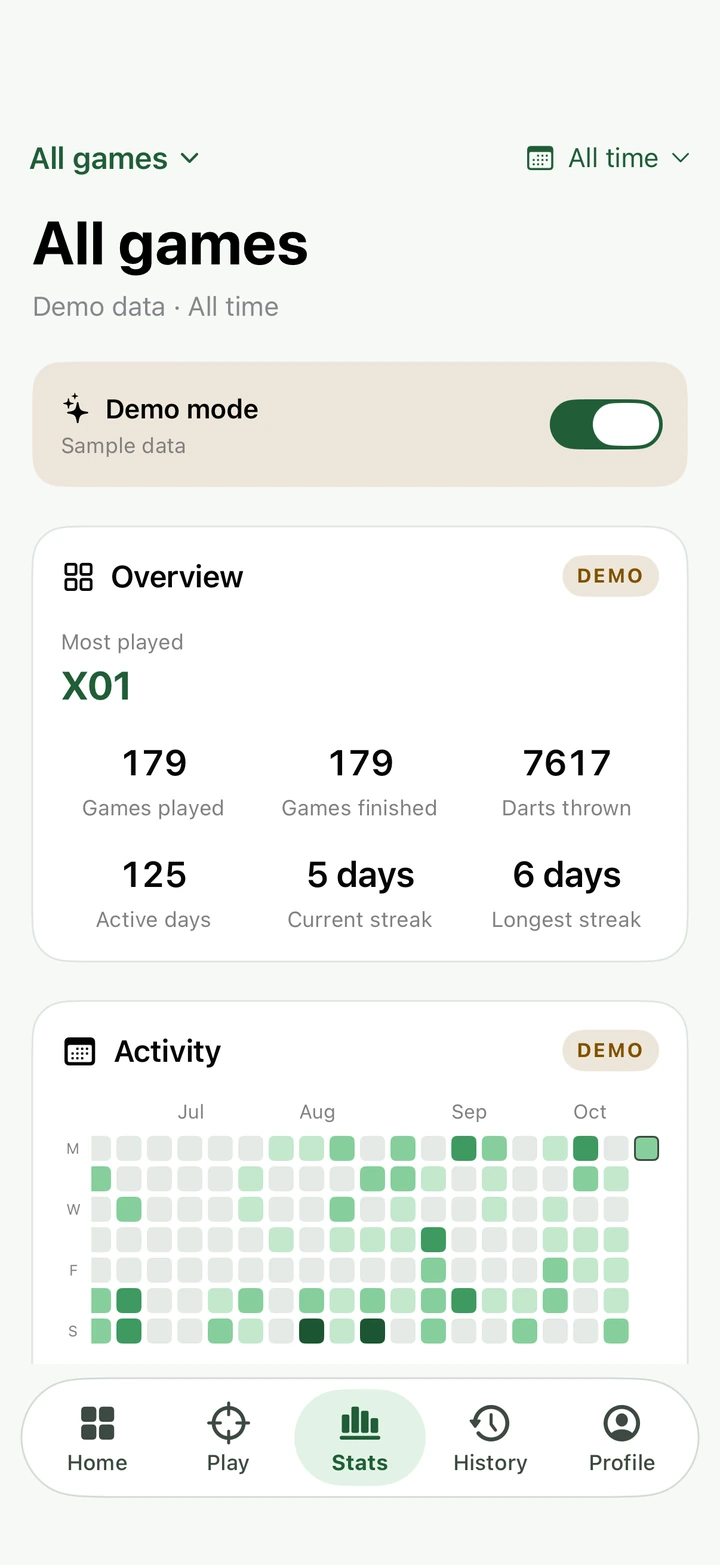
Demo mode to try everything
All your games at a glance
Your day streaks
Your activity calendar
A voice calls out the scores, even offline, in all six of the app’s languages.
Your players, games and stats follow you between your iPhone and iPad.
The app comes in 6 languages.
Open the app and play: nothing to sign up for, nothing to remember.
Privacy
Camera images and your voice are analysed on your iPhone or iPad. Images only leave the device if you turn on Action Replay or help improve detection; sound is never sent to the site.
No sign-up, no password, no email address to give.
And only while you broadcast: names, scores and darts, deleted 12 hours after the last update. Action Replay videos are deleted within 24 hours.
The options to help improve detection and voice recognition are off by default. No ads, no cookies, no analytics. Read the privacy policy
In November 2026, on the App Store, for iPhone and iPad.
iPhone and iPad, with iOS 26 or iPadOS 26 or later. The live scoreboard opens in the browser of any screen.
A tripod to stand your iPhone or iPad facing the board, if you want camera scoring. Otherwise nothing: voice and on-screen input work on their own.
No. No account, no sign-up: open the app and play.
No. One code lasts the whole evening: games follow one another on the same link and the screen moves from one to the next by itself, showing the last game’s result in between. The code only changes if the app is restarted or if you ask for a new code in the app.
Check the code shown in the app: it never uses O, 0, I or 1, which are too easily confused. A broadcast stops when you end it in the app, or after 12 hours without any update: start it again from the app.
Any screen with a recent browser: smart TV, tablet, computer or phone. On a TV without a browser, use AirPlay or screen mirroring. The full-screen button and the blocked sleep mode keep the scoreboard on screen for the whole game.
Only what appears on the scoreboard: the names entered, the scores and, with the camera or board input, where each dart landed. With Action Replay, short silent videos of the best throws are added. The scoreboard is deleted 12 hours after the last update, the videos no more than 24 hours after they are sent. No account, no cookies, no analytics. Privacy policy
Email contact@darts-oto.art, we usually reply within 48 hours.
Darts Oto lands on the App Store in November 2026, for iPhone and iPad. In the meantime, try the live demo.
Available on iPhone and iPad in November 2026
Watch the live demo